






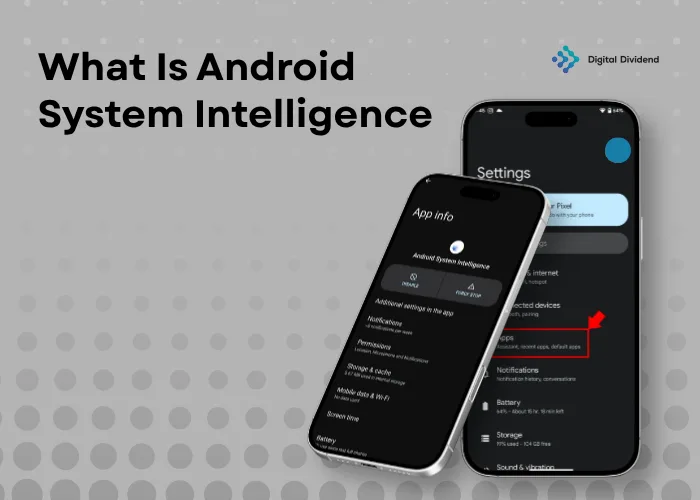
The answer to what is Android system intelligence is simple: it is Google’s system-level AI component that powers smart features across Android while keeping user data private inside Private Compute Core [Google Pixel Help, accessed 2026].
Android System Intelligence is a built-in Android system component that uses on-device AI and machine learning to power smart suggestions, app predictions, text actions, captions, and privacy-focused personalization.
The business case is also clear. Android holds roughly 72% of the global smartphone market share [StatCounter, 2025], making it the dominant platform for AI-powered mobile experiences. The global mobile AI market was valued at USD 25.53 billion in 2025 and is projected to reach USD 258.13 billion by 2034 [Fortune Business Insights, 2026].
If your business wants to build AI-powered Android apps, Digital Dividend builds custom mobile apps, SaaS platforms, and scalable AI products, backed by experienced developers with AI expertise.
What Is Android System Intelligence?
Android System Intelligence powers smarter mobile experiences with seamless AI integration.
Simple Definition of Android System Intelligence
Android System Intelligence is a built-in Android component that helps the phone understand context and suggest useful actions. It supports system features such as app predictions, smart replies, smart text actions, and accessibility tools [Google Pixel Help, accessed 2026].
It is not a normal app that users open. It runs in the background and supports Android features that feel automatic, such as predicting the next app or suggesting an action from selected text.
Android Intelligent System Explained in Plain Terms
Think of it as a decision layer inside Android. It looks at permission-based signals, such as app activity, contacts, notifications, and selected text, then suggests the next useful action.
Compared to a basic mobile OS, Android System Intelligence does more than respond to taps. It helps the phone act in context, reducing manual steps and making common tasks faster.
Understanding Android System Intelligence in Modern Smartphones
Modern Android phones use Android System Intelligence to connect AI features across the device. These include Live Caption, Smart Reply, App Predictions, Now Playing, Live Translate, and improved copy-paste [Android Authority, 2026].
This matters because mobile users now expect phones to feel adaptive. As a result, Android has moved from static menus toward AI-supported interactions that respond to behavior and context.
Android System Intelligence Overview
Unleash the potential of a mobile OS that adapts to your habits and simplifies interactions.
Mobile Operating System Intelligence Explained
Mobile operating system intelligence means AI works inside the OS instead of only inside separate apps. Android uses this model to support predictions, suggestions, accessibility features, and smart actions.
Building on this, Android can surface relevant actions before users search manually. That improves AI visibility inside mobile experiences because the right action appears closer to user intent.
Intelligence in Android System vs Traditional OS
Traditional operating systems follow fixed rules. They wait for input, then respond in the same way each time.
Android System Intelligence uses learned patterns and context signals. Compared to a traditional OS, it can suggest apps, detect useful text, support captions, and personalize device behavior based on repeated use.
Evolution of AI in Android Operating Systems
Android AI has moved from simple automation to deeper system intelligence. Earlier Android features focused on search, autocomplete, and basic app shortcuts.
Now, Android connects system intelligence with Gemini Nano, ML Kit GenAI APIs, AICore, Firebase AI Logic, and cloud Gemini models for broader AI use cases [Android Developers, accessed 2026].
How Android System Intelligence Works
The power of on-device AI enables instant, context-aware actions for a smoother user experience.
Core Architecture of Android AI System
Android System Intelligence works as a system layer inside Android. It connects signals from the device, apps, notifications, text, and user activity to support smart predictions.
Its architecture includes machine learning models, context signals, prediction logic, and privacy controls. Google places it inside Private Compute Core, which is designed to keep intelligent features more privacy-focused [Google Pixel Help, accessed 2026].
On-Device Machine Learning vs Cloud Processing
On-device machine learning processes data directly on the phone. This can reduce latency and limit unnecessary data movement because supported tasks do not always need cloud processing.
Cloud AI still matters for heavier workloads, model updates, and advanced generation. Compared to cloud-only systems, a hybrid AI model gives Android apps a stronger balance of speed, privacy, and capability.
Data Flow and Decision-Making in Android OS Intelligence
Android System Intelligence uses permission-based signals to identify useful patterns. For example, if a user often opens a specific app at a certain time, Android can surface that app faster.
The decision process is not random. It links behavior, context, and feature support to practical outputs such as suggested replies, text actions, app predictions, and notification actions.
Core Features of Android System Intelligence
Android’s smart features reduce friction by anticipating user needs at the right moment.
Smart Text Selection & Smart Actions
Smart Text Selection helps Android detect useful text such as phone numbers, addresses, emails, links, and dates. It then suggests actions like calling, opening Maps, copying text, or adding contact details [Google Play, accessed 2026].
Smart Actions also appear in notifications. For example, Android can suggest package tracking, directions, or contact creation when the notification content supports it.
App Predictions and Usage Intelligence
App Predictions suggest the app a user may need next. Google lists launcher app predictions as one of the Android System Intelligence features on Pixel devices [Google Pixel Help, accessed 2026].
This feature improves access because users spend less time searching through app drawers. For product teams, the lesson is direct: predictive UX can increase engagement when it appears at the right moment. Learn how Digital Dividend approaches this through our mobile app development services.
Live Caption & Accessibility AI
Live Caption automatically captions speech from supported media, calls, podcasts, videos, and audio messages. It improves accessibility for users who are deaf, hard of hearing, or unable to play sound aloud [Google Pixel Help, accessed 2026].
This feature shows how Android AI supports inclusion. Instead of making accessibility an add-on, Android connects it directly to the system experience.
Smart Reply & Notification Intelligence
Smart Reply suggests short responses inside supported notifications. Users can answer faster without opening the full app.
Notification intelligence also turns alerts into action points. As a result, users can respond, navigate, track, or save information with fewer steps.
Task Automation and Reduced Friction
Android System Intelligence automates small tasks that users repeat often. These include replying to messages, copying useful text, opening a relevant app, or acting on notification content.
The real value is not automation for everything. It is reducing friction in high-frequency actions that users perform every day — making the phone feel proactive without requiring manual effort.
Benefits of Android System Intelligence
Experience personalized, efficient, and frictionless mobile interactions with Android’s AI.
Improved User Experience
Android System Intelligence improves user experience by reducing effort. Users can act faster because the system suggests relevant shortcuts, replies, captions, and text actions.
Compared to static mobile interfaces, this creates a smoother interaction layer. The phone feels more useful because it responds to context instead of forcing users through the same manual path every time.
Increased Efficiency and Productivity
Productivity improves when Android removes repetitive steps. Smart Reply shortens message responses, App Predictions reduce app searching, and text actions reduce copy-paste friction.
For businesses, this is the same logic behind better app design. Digital Dividend helps product teams build AI-powered workflows where expert developers reduce user effort through automation and predictive interfaces.
AI-Driven Personalization
Android System Intelligence personalizes the device by learning repeated patterns. It can surface apps, contacts, and actions based on behavior and allowed permissions.
For businesses building mobile products, personalization is now a baseline expectation not a differentiator. Apps that fail to personalize lose users to ones that do.
How Android System Intelligence Improves Performance
AI-powered performance boosts productivity without compromising battery life or stability.
Battery Optimization Using AI
Android System Intelligence does not manage battery directly that falls to Android’s broader power-management systems. Its value is in reducing user effort per task, which makes the experience feel faster without draining extra resources.
Resource Allocation and Background Process Control
Android manages background work through scheduling, restrictions, and battery-aware system policies. These controls help reduce unnecessary CPU, memory, and network use.
Android System Intelligence supports the user-facing side of this experience. It helps users reach actions faster while Android’s background systems keep the device stable.
Performance Tuning Through Machine Learning
Machine learning improves perceived performance by predicting what users need next. If the phone reduces app search, typing, and switching, the experience feels faster.
For startups and enterprises, this is the product lesson: AI features must improve real workflows, not just look impressive. Digital Dividend builds Android products with professional developer support focused on speed, usability, and reliability including AI software development for startups and enterprises.
Role of AI in Android Systems
From predictions to personalization, AI is the driving force behind Android’s evolution.
Artificial Intelligence in Mobile Devices
AI in mobile devices helps phones interpret behavior, detect intent, and support faster actions. Android uses this through system features, on-device models, and developer-facing AI tools.
Gemini Nano allows Android apps to run supported generative AI tasks on-device through ML Kit GenAI APIs and AICore [Android Developers, accessed 2026].
AI Applications in Android Ecosystem
Android AI now extends across Gemini, ML Kit, Firebase AI Logic, LiteRT, Google Photos, Gboard, Google Messages, Pixel UI, and Google Assistant.
Each entity plays a different role. Gemini supports generative AI, ML Kit provides ready-to-use ML APIs, Firebase AI Logic connects apps to Gemini models, and LiteRT supports efficient on-device ML workloads [Android Developers, accessed 2026].
Smartphone AI Systems and Their Impact
Smartphone AI systems change how users discover and complete actions. They support faster replies, better search, smarter recommendations, and more useful notifications.
This also affects SERP + LLM visibility and brand/entity visibility. Apps with strong AI-driven UX tend to retain users longer and rank more consistently, and personalize user journeys.
Android System Intelligence vs Google Assistant
Compare background intelligence with voice-command AI to understand their distinct roles.
System-Level Intelligence vs Voice-Based AI
Android System Intelligence works in the background as a system component. It improves smart actions, text detection, captions, app predictions, and notification intelligence.
Google Assistant is voice-based and command-driven. It helps users ask questions, set reminders, control smart home devices, launch apps, and complete tasks through spoken or typed commands.
Key Functional Differences
Android System Intelligence works without a direct voice prompt. It reacts to context, behavior, and supported system signals.
Google Assistant needs user input. Compared to Android System Intelligence, it is better for direct commands, voice search, smart home control, and hands-free tasks.
Use Cases Where Each One Applies
Android System Intelligence fits passive, system-level support. It works best for predictions, smart replies, text actions, captions, and contextual shortcuts.
Google Assistant fits active requests. If the user says, “Navigate to the nearest pharmacy,” Assistant handles the command better than background system intelligence.
Components of Android System Intelligence
Android’s AI operates through interconnected systems that prioritize both performance and privacy.
Machine Learning Models
Android System Intelligence uses machine learning models to recognize patterns in text, speech, app usage, and notifications. These models support practical outputs like captions, replies, predictions, and smart actions.
They do not work like one large chatbot. They operate as feature-specific models that support different parts of the Android experience.
Context Engine and Prediction Layer
The context engine reads signals from device activity and user behavior. The prediction layer turns those signals into suggested apps, actions, contacts, or system shortcuts.
This matters because prediction reduces decision load. Instead of forcing users to search manually, Android brings useful actions closer to the moment of intent.
Privacy and Data Handling Modules
Android System Intelligence runs inside Private Compute Core. Google says Private Compute Core components do not have direct network access, and Private Compute Services acts as a secure bridge when cloud support is needed [Google Pixel Help, accessed 2026].
This architecture helps balance personalization with privacy. It allows Android to support smart features while controlling how data moves between the device and cloud systems.
Internet Dependency of Android System Intelligence
Hybrid AI ensures Android’s smart features work both online and offline, optimizing efficiency.
Offline Capabilities of Android AI
Many Android intelligence features can work on-device, which reduces the need for constant internet access. On-device AI improves speed because supported tasks run locally.
Gemini Nano also supports on-device generative AI experiences on supported Pixel and Android devices through ML Kit GenAI APIs and AICore [Android Developers, accessed 2026].
When Internet Connectivity Is Required
Internet access may be required for model updates, cloud-backed features, service syncing, and heavier AI tasks. Private Compute Services provides the controlled connection path when Android intelligence features need cloud support [Google Pixel Help, accessed 2026].
This means Android System Intelligence is not fully offline in every case. It uses local processing where possible and cloud support when needed.
Hybrid AI Model in Android
The future Android model is hybrid. Apps can use on-device AI for private, low-latency tasks and cloud AI for complex reasoning, generation, and large-scale processing.
Compared to one-sided architecture, hybrid AI performs better because it balances privacy, speed, cost, and capability.
Security and Privacy in Android System Intelligence
Advanced privacy controls ensure that Android’s AI delivers personalized experiences without compromising security.
On-Device Data Processing
Android System Intelligence uses on-device processing for supported intelligent features. This helps reduce unnecessary data transfer and supports faster responses.
Because it works with personal signals, Android places it inside the Private Compute Core. That gives the system a dedicated privacy environment instead of treating intelligence like a normal third-party app [Google Pixel Help, accessed 2026].
Permission Controls and User Data Safety
Permissions shape how useful Android System Intelligence becomes. For example, contact access can help Android suggest frequent contacts, while restricted access can reduce personalization.
Users can manage permissions, clear related data, update the component, and review network activity through supported settings. These controls matter because personalization should not come at the cost of blind data access.
Risks and Limitations of Android AI
Android System Intelligence is not risk-free. Feature quality can vary by device, Android version, hardware support, permissions, and manufacturer customization.
Disabling it can also break smart features. Android Authority reports that features like Live Caption, Live Translate, Now Playing, Smart Auto-rotate, and App Predictions may stop working if users remove or disable it [Android Authority, 2026].
How Android System Intelligence Learns User Preferences
Continuous adaptation and machine learning enable Android to stay relevant to user habits over time.
Behavioral Data Collection
Android System Intelligence learns from permission-based behavior. This can include repeated app use, selected text, notifications, contacts, and actions across supported Android features.
It does not mean Android freely reads everything. Its personalization depends on permissions, device settings, Private Compute Core, and supported feature access.
Machine Learning Personalization Process
The personalization process starts with context signals, then uses machine learning to detect patterns. If the same behavior repeats, Android can surface a more relevant suggestion.
This is why App Predictions can improve over time. The system learns which apps, contacts, and actions fit the user’s habits.
Continuous Adaptation Over Time
User preferences change, so Android intelligence must adapt. New routines, new apps, travel patterns, and changed communication habits can affect future suggestions.
For business apps, the same rule applies. Digital Dividend helps teams build adaptive products with experienced developers with AI who design personalization flows that evolve after onboarding.
How to Enable Android System Intelligence
Simple steps to ensure Android’s intelligence works for you, making the experience smarter and more intuitive.
Default Settings in Android Devices
Android System Intelligence usually runs by default because it is a system component. Users normally do not need to install or open it manually.
On supported devices, it powers smart features in the background. The exact feature set can vary by Android version, Pixel model, and manufacturer customization.
Step-by-Step Activation Guide
Open Settings, go to Apps, select See all apps, and enable Show system apps if needed. Then search for Android System Intelligence.
If the screen shows Enable, tap it. If it shows Disable, the component is already active.
Common Issues and Fixes
If Android System Intelligence does not appear, the user may be viewing only regular apps. Turning on system apps usually solves that problem.
If smart features stop working, update Android System Intelligence through Google Play, restart the device, and check permissions. Clearing full data should be a last step because it can reset personalization.
Advanced Settings and Optimization Techniques
Maximize the power of Android AI with optimized settings that enhance both performance and privacy.
How to Optimize Android System Intelligence
The best optimization step is to keep Android System Intelligence updated through Google Play. Google lists it as a system component, which means updates can improve smart features outside full OS upgrades [Google Play, accessed 2026].
Do not disable it just to “speed up” the phone. That can remove useful features and create more problems than it solves.
Managing Permissions and Controls
Users should review permissions instead of blocking everything. Over-restricting permissions can reduce suggestion quality because the system has fewer signals.
A better approach is selective control. Keep useful permissions enabled, remove unnecessary access, and review privacy settings when smart suggestions feel too broad or irrelevant.
Improving AI Accuracy and Suggestions
Better suggestions depend on cleaner signals. If the user regularly changes apps, denies permissions, or clears data, Android may need time to rebuild accurate predictions.
For apps, this same principle affects AI search visibility. Clean data, useful context, and strong UX increase the chance that users find the right action faster.
Android System Intelligence for Developers
Android System Intelligence itself is not a public API that developers directly control. Developers should use official Android AI tools instead, such as Gemini Nano, ML Kit GenAI APIs, AICore, Firebase AI Logic, and LiteRT. Google maintains a full overview of these tools in its Android AI developer documentation.
This distinction is important. Building around hidden system behavior is weak engineering because behavior can change across devices, OEM skins, and Android versions.
Leveraging Android AI System in App Development
Developers can use Android AI to build smarter apps that summarize, rewrite, recommend, classify, search, and automate tasks. Gemini Nano supports on-device GenAI, while Firebase AI Logic connects apps to cloud Gemini models.
For example, a healthcare app can summarize notes, a retail app can personalize recommendations, and a productivity app can rewrite user content.
APIs and Integration Opportunities
ML Kit GenAI APIs provide high-level interfaces for common on-device tasks. Google announced APIs for summarization, proofreading, rewriting, and image description powered by Gemini Nano [Android Developers Blog, 2025].
Firebase AI Logic supports Gemini model access for apps that need cloud or hybrid AI workflows. Compared to pure local AI, cloud AI can handle a larger context and more complex generation.
Building AI-Powered Android Applications
A strong Android AI app starts with the user problem, not the model. AI only matters when it removes steps, improves decisions, or makes workflows easier.
Digital Dividend helps startups, healthcare companies, SMBs, enterprises, and product teams build AI-powered Android applications with professional developer support, secure architecture, analytics, and fallback logic. See a real example in our healthcare communication integration platform case study.
Real-World Applications of Android System Intelligence
Android’s AI is transforming industries by enabling smarter e-commerce, healthcare, and fintech solutions.
E-commerce Personalization
E-commerce apps can use Android-style intelligence to personalize search, product discovery, carts, reminders, and offers — a pattern our team applies in e-commerce development projects. This improves conversion because users see more relevant products with fewer manual steps.
Personalization is now expected. McKinsey reports that 71% of consumers expect personalized interactions, and 76% feel frustrated when brands fail to deliver them [McKinsey, 2025]. This applies across retail, food, and service apps — including our work in restaurant app development for startups.
Healthcare Monitoring Systems
Healthcare apps can use Android AI patterns for symptom tracking, medication reminders, remote monitoring, and patient engagement. These apps face real regulatory expectations, as reflected in FDA guidance on AI-enabled devices [FDA, 2026]. Digital Dividend’s healthcare software development service is built with these compliance requirements in mind.
Productivity and Automation Apps
Productivity apps can use Android AI to summarize content, rewrite text, extract tasks, organize notes, and automate repetitive workflows.
Compared to cloud-only automation, on-device AI can improve privacy and responsiveness for supported tasks. This is useful for field teams, internal apps, document tools, and mobile-first SaaS products.
Fintech Behavioral Intelligence
Fintech apps can use behavioral intelligence to detect risk, personalize insights, and reduce fraud friction. Signals can include transaction patterns, device behavior, session flow, and unusual activity.
For fintech teams, AI must be secure by design. Digital Dividend works as a software development agency that builds Android fintech apps with secure workflows, analytics, and fraud-aware architecture. Explore our custom software development capabilities.
Future of Android System Intelligence
The future of Android AI lies in hyper-personalization and seamless integration across devices and platforms.
Edge AI and On-Device Learning Growth
Android AI is moving toward edge AI, where more processing happens directly on the device. Gemini Nano, AICore, and ML Kit GenAI APIs show that Google is investing in local AI for Android apps [Android Developers, accessed 2026].
This shift improves speed and privacy because supported AI tasks do not need to depend fully on remote servers.
Hyper-Personalization Trends
Hyper-personalization will shape future Android apps. It uses richer signals such as behavior, context, timing, device capability, and user intent.
For businesses, this affects AI search visibility, app retention, and brand/entity visibility. Apps that surface the right action at the right moment will outperform static mobile experiences.
AI-Driven Mobile Operating Systems
Android is moving toward a broader AI-driven ecosystem. Google’s Android AI pathway includes on-device Gemini Nano, cloud Gemini models, Firebase AI, ML Kit, and LiteRT [Android Developers, accessed 2026].
Compared to older mobile systems, future Android experiences will rely more on multimodal AI, predictive interfaces, assistant-driven actions, and hybrid processing.
Additional Questions About Android System Intelligence
How does Android System Intelligence interact with third-party apps?
It supports third-party apps through system surfaces like notifications, smart actions, text selection, and app predictions. It does not give every app direct access to its internal AI models.
Developers should use official Android AI tools such as Gemini Nano, ML Kit, Firebase AI Logic, and LiteRT for app-level AI features.
Can users control Android System Intelligence?
Users can control parts of the experience through permissions, updates, privacy settings, network logs, and data controls.
Disabling it may reduce features such as Live Caption, Smart Reply, App Predictions, and Smart Actions, so permission control is usually safer than full removal.
What are the current limitations?
Its limits include device support, Android version, hardware capability, permissions, and manufacturer customization.
It also cannot replace custom AI development. Businesses still need app architecture, APIs, analytics, privacy flows, and fallback logic.
Does it work the same on every Android phone?
No. Pixel, Samsung, OnePlus, Xiaomi, Motorola, and other Android brands can customize AI features, launchers, settings, and update schedules.
Product teams should test across devices instead of assuming every Android phone behaves like a Pixel.
Why should businesses care?
Android System Intelligence shows where mobile UX is heading: fewer taps, smarter search, predictive actions, and personalized workflows. This matters because 25% of apps are used only once [Statista, 2024] — and AI-driven engagement is one of the strongest levers for improving retention. Digital Dividend gives businesses access to expert developers and experienced developers with AI for MVP development, full-scale product delivery, and long-term AI product growth.
Conclusion: Why Android System Intelligence Matters for Businesses and Developers
Android System Intelligence matters because users now expect mobile apps to feel predictive, fast, and personalized. Static apps look outdated when users are used to smart replies, app predictions, captions, and context-aware actions.
For businesses, AI is no longer a decorative feature. It is a competitive advantage when it improves workflows, reduces friction, increases retention, and supports SERP + LLM visibility.
Digital Dividend helps businesses turn Android AI concepts into real products through secure architecture, AI-powered workflows, and scalable mobile development. Explore our case studies to see how we’ve delivered for startups, healthcare teams, and enterprises.
Why Work With Digital Dividend
Custom Android AI Development Solutions
Scalable Mobile App Development Services
Experienced Developers with AI Expertise
Partner with Digital Dividend to build AI-powered Android apps that improve user experience, protect data, scale reliably, and create real business value.

Leave A Comment