






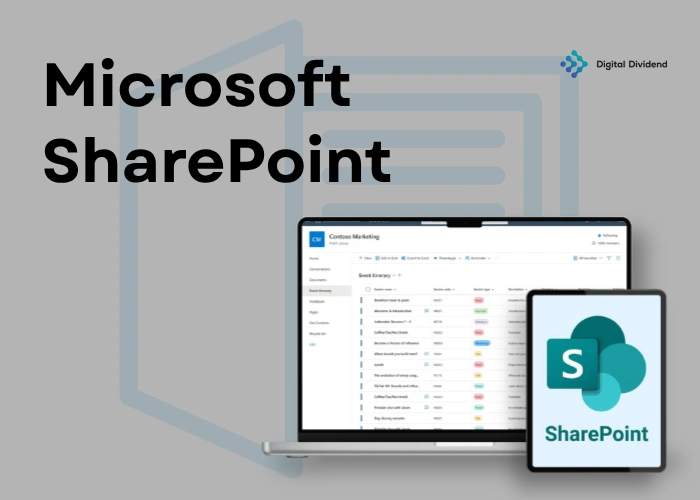
Microsoft SharePoint is a robust digital workplace platform designed to centralize communication, document management, and collaboration for organizations of all sizes. It integrates seamlessly with Microsoft 365, enabling teams to store, share, and co-author documents in real time, reducing operational silos (Microsoft, 2024).
Companies leveraging SharePoint report significant improvements in document retrieval speed and project tracking, creating measurable efficiency gains. With over 200 million active users globally, SharePoint is one of the most widely adopted enterprise platforms in the world (Microsoft, 2024).
Beyond collaboration, SharePoint supports workflow automation through tools like Power Automate. This lets businesses automate repetitive tasks and approvals, reducing manual errors and accelerating processes. Organizations that implement SharePoint strategically see meaningful increases in team productivity, making it a core platform for modern business operations (Nucleus Research, 2023).
SharePoint for Startups and SMBs: Driving Agile Growth
SharePoint empowers small and growing businesses to collaborate efficiently and scale operations with minimal overhead.
Collaboration Tools for Small, Distributed Teams
Small startups and SMBs benefit from SharePoint’s collaboration tools built for distributed teams. Real-time co-authoring, Teams integration, and cloud-based access let team members work simultaneously, reducing delays and miscommunication (Statista, 2024). This matters most for businesses with remote staff or multiple office locations.
Lists, Libraries, and Team Sites for Organized Work
Lists, libraries, and team sites provide structured storage and project management. Startups can create dedicated sites for product development, marketing, or client management, improving transparency and accountability. Teams spend less time searching for files and more time on work that drives growth. See how Digital Dividend’s software development services help businesses configure SharePoint for scale.
Cost-Effective Ways SharePoint Boosts Productivity and Scalability
SharePoint offers cost-effective scalability for growing businesses. Cloud hosting reduces IT maintenance costs, while automation tools like Power Automate significantly cut time spent on repetitive tasks (Forrester, 2023). Startups and SMBs gain productivity without proportional increases in overhead, with guidance from Digital Dividend’s expert developers.
Enhancing Enterprise Workflows with SharePoint
SharePoint streamlines enterprise processes by centralizing workflows, improving collaboration, and integrating systems for maximum efficiency.
Integration with Microsoft 365 and Enterprise Apps
SharePoint integrates with Microsoft 365 and other enterprise applications, giving teams access to emails, calendars, and documents in one environment. Enterprises can also connect SharePoint with CRM, ERP, and HR systems to maintain a unified digital ecosystem (Microsoft, 2024). Explore Digital Dividend’s ERP software development services for deeper integration support.
Centralized Governance and Compliance Benefits
With centralized governance, SharePoint enforces consistent policies, permissions, and data retention rules, helping enterprises meet regulatory requirements. Automated compliance tracking and audit-ready reporting reduce risk, prevent data leaks, and support secure collaboration across global teams (Gartner, 2023).
Streamlining Enterprise Operations and Reducing Bottlenecks
Enterprises use SharePoint to automate routine processes and eliminate workflow bottlenecks. Content approvals, centralized communication, and workflow automation cut operational delays significantly (Forrester, 2023). Teams can then focus on strategic initiatives, supported by Digital Dividend’s professional developers and AI software development expertise.
SharePoint in Healthcare: Secure, Compliant, and Collaborative
SharePoint enables healthcare organizations to manage sensitive data securely while improving cross-team collaboration.
HIPAA-Compliant Document and Data Management
SharePoint provides HIPAA-compliant document storage with encryption, access controls, and audit trails. Real-time document versioning ensures clinicians always access the latest records (Statista, 2024). For organizations building compliant healthcare platforms, see Digital Dividend’s healthcare software development services.
Facilitating Interdepartmental Collaboration
By centralizing data and workflows, SharePoint improves collaboration between medical, administrative, and research teams. Teams can share test results, schedules, and treatment plans securely, reducing communication delays and improving patient outcomes (Forrester, 2023).
Improved Patient Data Workflows and Reduced Administrative Overhead
Healthcare organizations reduce administrative overhead by automating document routing, approvals, and task assignments. This accelerates patient care delivery and frees clinical staff from repetitive manual work (Gartner, 2023). Digital Dividend’s experienced developers with AI help healthcare teams optimize these workflows. See our healthcare communication integration case study for a real-world example.
Custom Software and SaaS Teams: Leveraging SharePoint for Product Development
SharePoint helps product teams manage development cycles efficiently while centralizing collaboration and project tracking.
Document Management for Product Requirements and Project Tracking
Teams can store product requirements, design documents, and testing reports in SharePoint libraries with version control. This keeps all stakeholders aligned, reduces errors, and maintains project transparency (Statista, 2024). Agile teams can monitor progress and deadlines without switching between disconnected tools.
Power Automate and AI Integration for Automated Workflows
Power Automate integration allows SaaS and software teams to automate notifications, approvals, and code review assignments. AI capabilities in SharePoint assist with document classification and predictive insights, reducing manual workload and accelerating decisions (Forrester, 2023). Explore Digital Dividend’s AI agent development services for advanced automation.
Dashboards and Reporting for SaaS, Mobile, and Web Platforms
SharePoint provides custom dashboards for monitoring product KPIs, bug tracking, and user feedback. Teams that pair SharePoint with professional developers gain improved visibility across mobile app and web projects, enabling faster, data-driven decisions (Gartner, 2023).
Key SharePoint Features That Enhance Team Productivity
SharePoint provides a suite of features that streamline workflows, improve collaboration, and boost team efficiency.
Hub Sites, Pages, Web Parts, and Communication Sites
Hub sites and communication sites centralize content by project, department, or initiative. Custom pages and web parts let employees access documents, calendars, and news feeds in one place, reducing time spent searching (Statista, 2024).
Integration with Power Automate and Third-Party Apps
SharePoint integrates with Power Automate and tools like Jira, Slack, and Salesforce. This enables workflow automation, task assignments, and real-time notifications, reducing manual errors and speeding up delivery (Forrester, 2023). Learn more about Digital Dividend’s data and analytics services to get more from your SharePoint data.
Advanced Search and Intelligent Content Discovery
AI-driven search and intelligent tagging help teams locate critical documents quickly. Metadata classification improves visibility across departments, enabling faster decisions for both remote and in-office teams (Gartner, 2023).
Governance and Security in SharePoint: Ensuring Compliance Across Teams
SharePoint gives enterprises robust governance and security tools to protect data and maintain regulatory compliance.
Best Practices for SharePoint Governance
Effective governance starts with defining site hierarchies, establishing content policies, and monitoring usage. Organizations should implement structured approval processes and maintain audit logs to prevent unauthorized changes (Gartner, 2023).
Permission Management and Data Protection
SharePoint allows granular permission settings, ensuring only authorized users have access to sensitive documents. Data encryption, multi-factor authentication, and regular security audits help meet GDPR and HIPAA standards (Statista, 2024).
Reduced Risk and Faster Audit Readiness
Strong SharePoint governance reduces compliance risks and accelerates audit readiness. Enterprises experience fewer breaches and faster reporting, supported by Digital Dividend, a software development agency specializing in secure workflow optimization. Our data engineering services further support compliant data architecture (Forrester, 2023).
Tips for Effective SharePoint Adoption and User Engagement
Successful SharePoint adoption requires structured onboarding, active engagement, and continuous monitoring.
Onboarding Teams for Maximum Adoption
Training sessions, tutorials, and role-based exercises help users navigate SharePoint’s sites, libraries, and workflows quickly. Early adoption reduces resistance and accelerates time-to-value (Forrester, 2023).
Encouraging Collaboration and Self-Service Management
Encouraging teams to create sites, manage libraries, and use dashboards increases engagement. Peer mentoring and sharing best practices make SharePoint a central hub rather than an underused tool (Gartner, 2023).
Measuring Productivity Gains
Track usage analytics, document turnaround times, and workflow completion rates to measure impact. Organizations that monitor these metrics and work with professional developers optimize SharePoint faster and see sustained productivity gains (Statista, 2024). See how Digital Dividend helped teams achieve this through our AI-powered innovation case study.
FAQs
What types of teams benefit most from SharePoint?
Cross-functional teams, remote teams, agile software teams, and enterprise departments handling large data volumes or complex workflows see the highest efficiency gains (Gartner, 2023).
How can SharePoint tools enhance team productivity?
SharePoint improves productivity through real-time collaboration, workflow automation, and integrated dashboards. Teams save time on document retrieval, approvals, and cross-department communication (Forrester, 2023).
How does SharePoint compare with other collaboration tools?
Compared to Google Workspace or Slack, SharePoint offers deeper Microsoft 365 integration, stronger governance, and enterprise-level security, making it ideal for compliance-heavy industries. See our blog on native vs. hybrid app approaches for related platform considerations.
Are there any limitations of SharePoint for team use?
SharePoint can be complex for small teams without IT support. Setup often requires expert configuration, which is where a software development agency like Digital Dividend adds clear value (Gartner, 2023).
Is Microsoft SharePoint suitable for all types of teams?
SharePoint is most effective for teams needing structured document management, workflow automation, and cross-department collaboration. Very small teams with minimal needs may prefer lighter tools (Forrester, 2023).
Conclusion
Microsoft SharePoint delivers measurable benefits across startups, SMBs, enterprises, and healthcare organizations. It centralizes collaboration, automates workflows, and reduces operational errors, translating to higher productivity and stronger compliance (Forrester, 2023).
Digital Dividend’s expert developers help organizations configure, adopt, and scale SharePoint effectively. Whether you’re a startup building your first intranet or an enterprise optimizing multi-department workflows, our software development company delivers tailored solutions that maximize your return on investment.
Ready to unlock the full value of Microsoft SharePoint? Contact Digital Dividend today for a free consultation.

Leave A Comment