






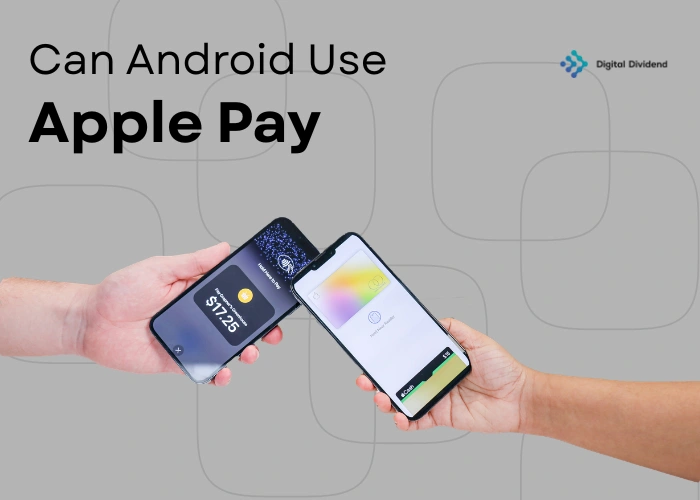
Quick Answer:
No, Android devices cannot use Apple Pay. Apple restricts its payment service exclusively to iPhones, Apple Watches, iPads, and Macs. Android users rely on alternatives like Google Pay and Samsung Pay, which offer comparable contactless payment capabilities using NFC technology and tokenization security.
Apple Pay is widely regarded as one of the most reliable digital payment solutions available today. But if you use an Android phone, you may be wondering: can Android devices use Apple Pay? The short answer is no.
Apple Pay functions within Apple’s exclusive ecosystem. It is designed exclusively for Apple hardware and is not available on Android devices (Apple, 2024). This means Android users need reliable alternatives to make secure contactless payments.
At Digital Dividend, our expert developers build custom payment solutions that work across platforms, devices, and business models. This guide explains why Apple Pay is unavailable on Android and which alternatives best serve your needs.
Understanding Apple Pay and Its Compatibility
Apple Pay is a leading digital wallet built to simplify and secure mobile payments. It utilizes near-field communication (NFC) technology to facilitate seamless payments both in-store and online.
As of 2025, Apple Pay supports millions of users globally across retail, healthcare, and transportation (Statista, 2025). However, its compatibility is restricted entirely to Apple devices. Android phones cannot access Apple Pay natively, which highlights the fundamental divide between the two mobile payment ecosystems.
What Is Apple Pay?
Apple Pay is a mobile payment and digital wallet service that stores credit, debit, and prepaid card information inside the Apple Wallet app. Users tap their device near a compatible payment terminal to complete a transaction.
Each payment uses advanced encryption and tokenization. Instead of exposing your actual card number, Apple Pay generates a unique one-time token per transaction. This approach significantly reduces fraud risk (Apple, 2024).
Apple Pay on iOS Devices: A Quick Overview
Apple Pay is deeply integrated into iOS. To use it, you add a card to the Apple Wallet app on your iPhone, iPad, Apple Watch, or Mac.
For in-store purchases, you hold your device near a contactless terminal and authenticate with Face ID, Touch ID, or a passcode. For online checkouts, Apple Pay autofills your payment and shipping details, removing the need to enter card information manually (Apple, 2024).
This combination of speed and security has made Apple Pay one of the most widely adopted mobile payment systems in the world.
Can Android Devices Use Apple Pay?
No. Android devices cannot use Apple Pay, either natively or through a third-party app. Apple designed its payment system to function exclusively within its hardware and software ecosystem. Without iOS and Apple’s Secure Enclave chip, the system simply cannot operate (Apple, 2024).
For businesses serving cross-platform customers, this limitation is important to understand. You need payment integrations that work for both iOS and Android users. Our services help you build exactly that.
The Limitations of Apple Pay on Android Phones
The restriction is architectural, not just a policy decision. Apple Pay depends on the Secure Enclave, a dedicated security chip embedded in Apple hardware. This chip handles cryptographic operations and isolates sensitive payment data from the rest of the operating system (Statista, 2024).
Android devices do not have this chip. Even if an Android phone supports NFC, it lacks the hardware-level security layer Apple Pay requires. This makes it technically impossible for Android to run Apple Pay, not just restricted by policy.
Using Apple Pay on Android: Is It Possible?
Some users have asked whether pairing an Apple Watch with an Android phone could enable Apple Pay. While Apple Watches do support Apple Pay independently, the pairing process requires an iPhone, not an Android. This workaround is not viable for Android-only users.
No third-party app currently enables full Apple Pay functionality on Android. Some apps may handle Apple Pay transactions on the merchant side (such as receiving payments), but the consumer experience of tapping and paying is not available on Android.
If your business needs to accept payments from both Android and iOS customers, our experienced developers with AI can build a custom payment flow that handles both seamlessly.
Alternatives to Apple Pay for Android Users
Android has a rich ecosystem of digital wallets. Each offers strong security, broad merchant acceptance, and a user experience comparable to Apple Pay. Below are the most widely used options.
Google Pay: The Android Alternative to Apple Pay
Google Pay is the primary digital wallet for Android users. It stores credit and debit card details securely and uses NFC for contactless in-store payments, similar to Apple Pay.
As of 2025, Google Pay is accepted by millions of merchants worldwide and works on Android smartphones, tablets, and Wear OS smartwatches (Statista, 2025). It also supports in-app purchases, web checkout, and peer-to-peer transfers.
Google Pay uses tokenization and biometric authentication to protect each transaction, making it a secure and practical replacement for Apple Pay on Android.
Samsung Pay: Another Top Mobile Payment Option
Samsung Pay is a strong alternative for Samsung device owners. Its key advantage is compatibility with both NFC and magnetic secure transmission (MST) technology. MST lets Samsung Pay work at older terminals that do not support NFC, giving it broader acceptance than any other mobile wallet (Samsung, 2024).
Samsung Pay also supports loyalty cards, gift cards, and membership cards alongside standard payment cards, making it a more all-in-one solution for everyday purchases.
PayPal and Other Payment Services
PayPal has been a trusted name in digital payments for over two decades. While it is primarily an online payment tool rather than an in-store contactless solution, it is widely accepted across e-commerce platforms and supports bill payments and P2P transfers (PayPal, 2024).
Other services worth noting include Venmo (owned by PayPal) and Cash App, both popular for peer-to-peer transfers. These platforms let users link bank accounts, debit cards, and credit cards to send and receive money.
For businesses that need to support multiple payment methods across platforms, our professional developers can integrate all of these into a single, unified checkout experience. See how we built a custom restaurant ordering app with multiple payment integrations for a real-world example.
Can You Link Google Pay to Apple Pay?
No, you cannot link Google Pay and Apple Pay directly. The two services operate in separate ecosystems and do not share data or infrastructure. Apple does not allow third-party payment platforms to integrate with Apple Pay on any platform (Apple, 2024).
How to Use Both Systems Simultaneously
If you own both an Android phone and an iPhone, you can set up Google Pay on the Android and Apple Pay on the iPhone independently. At the point of sale, you simply use whichever device you have on hand.
Many online merchants now offer both Google Pay and Apple Pay at checkout. You can select your preferred method based on the device you are using at the time. While this is not a direct integration, it gives you flexibility across both platforms.
For businesses managing payments across platforms, a custom integration is often the cleaner solution. Our software development agency can build a payment infrastructure that handles Google Pay, Apple Pay, and other methods from a single backend.
Tips for Android Users to Optimise Mobile Payments
As mobile payments become standard, securing your payment methods is just as important as using them. The tips below help Android users get the most from their digital wallets.
Best Practices for Mobile Payment Security on Android
- Enable biometric authentication. Set up fingerprint scanning or face recognition for payment approval. This adds a hardware-level security layer beyond a PIN (Google, 2025).
- Use two-factor authentication (2FA). Enable 2FA on your Google account and linked financial accounts. This is your first line of defence if your phone is lost or stolen.
- Keep your device updated. Install Android security patches promptly. Outdated software is a common entry point for attackers (Statista, 2024).
- Monitor your payment history. Review transactions regularly in Google Pay. Report any suspicious activity to your bank or Google immediately.
How to Set Up Google Pay on Your Android Device
Setting up Google Pay takes only a few minutes:
- Download Google Pay. Get it from the Google Play Store if it is not pre-installed (Google, 2024).
- Sign in. Open the app and log in with your Google account.
- Add a payment method. Tap the “+” icon and enter your card details manually or scan your card with the camera.
- Set a default card. Choose which card to use by default. You can switch between cards at any time.
- Verify your card. Your bank may require verification via SMS, email, or phone call.
- Enable NFC. Go to your device settings and confirm that NFC is switched on. Google Pay uses NFC to communicate with payment terminals.
Once set up, Google Pay is ready for contactless in-store payments, in-app purchases, and online checkout.
Comparison Table: Apple Pay vs. Android Alternatives
| Feature | Apple Pay | Google Pay | Samsung Pay |
|---|---|---|---|
| Available on Android | No | Yes | Yes |
| Available on Apple Devices | Yes | No | No |
| NFC Payments | Yes | Yes | Yes |
| MST (Legacy Terminal) Support | No | No | Yes |
| Security | Tokenization, Secure Enclave | Tokenization, Biometrics | Tokenization, Biometrics |
| P2P Transfers | Yes (via iMessage) | Yes | Limited |
| Loyalty Card Support | Yes | Yes | Yes |
| Global Merchant Acceptance | Wide | Wide | Wide (incl. non-NFC) |
FAQs: Can Android Use Apple Pay?
Can I pay with Apple Pay on an Android phone?
No. Apple Pay works exclusively on Apple devices such as iPhones, iPads, and Apple Watches. Android phones lack the hardware and software integration Apple Pay requires. For contactless payments on Android, use Google Pay or Samsung Pay.
What happens if I try to use Apple Pay on Android?
You will encounter an error stating the service is unavailable. Apple Pay cannot be installed or operated on Android, and no integration exists that enables this. The system will not process any payment attempt.
Are there any apps that allow Apple Pay on Android?
No app provides full Apple Pay functionality on Android. Some merchant-side tools can receive Apple Pay payments, but the consumer experience of tapping and paying is not available on Android devices.
Can Android users receive payments via Apple Pay?
Android users cannot receive Apple Pay payments directly. Apple Pay money transfers work only through iMessage on Apple devices. Android users can receive digital payments through Google Pay, PayPal, Venmo, or Cash App instead.
Is there a version of Apple Pay for Android?
No. Apple has not released a cross-platform version of Apple Pay, and there are no credible reports indicating this will change. Android users should rely on Google Pay or Samsung Pay, which offer comparable features.
What is the best Apple Pay alternative for Android in 2025?
Google Pay is the most widely supported option for Android users globally. Samsung Pay is an excellent choice for Samsung device owners, particularly because of its MST support for older payment terminals. For online payments, PayPal remains a strong option.
Conclusion: The Future of Cross-Platform Mobile Payments
Android devices cannot use Apple Pay, and this is unlikely to change given Apple’s deliberate ecosystem strategy. However, Android users are not without strong options. Google Pay, Samsung Pay, and PayPal each offer robust, secure, and widely accepted payment experiences.
For businesses, the more important question is not which wallet is best, but whether your platform supports all of them. Customers expect seamless checkout regardless of the device they use. Failing to support their preferred payment method costs you conversions.
Our healthcare software case study shows how we integrated multi-platform payment and data flows for a complex healthcare client. Our e-commerce development services and mobile app development services are built to handle this complexity from day one.
You can also explore our hybridshoring model to see how we deliver senior development talent cost-effectively, or review our case studies to see payment integrations we have delivered across industries.
Ready to implement flexible payment solutions for your customers?
Contact Digital Dividend today and work with our experienced developers to build custom, cross-platform payment flows that serve every customer, on every device.
References
- Apple. (2024). Apple Pay Security Overview. Apple Inc.
- Statista. (2025). Mobile payment users worldwide. Statista Research Department.
- Samsung. (2024). Samsung Pay: How It Works. Samsung Electronics.
- PayPal. (2024). PayPal Payments Overview. PayPal Holdings, Inc.
- Google. (2024–2025). Google Pay Help and Setup. Google LLC.

Leave A Comment