






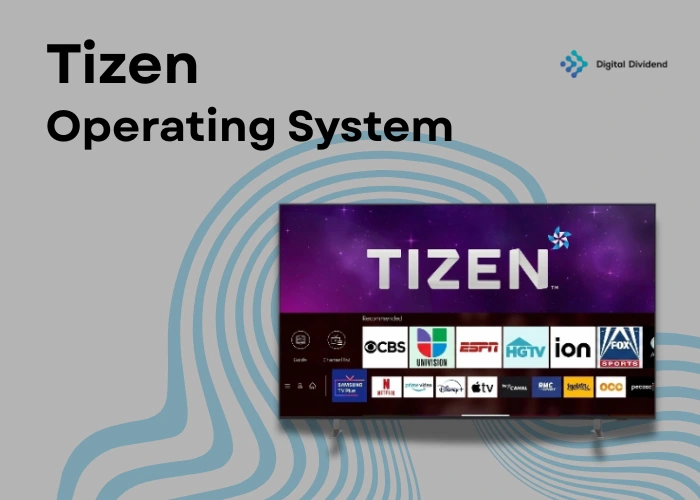
Picking the wrong operating system for your smart TV or connected device application does not just slow your launch. It shapes every app you will ever build for it and every integration you will attempt. If Samsung’s ecosystem is on your roadmap, Tizen OS is the platform you need to understand before you write a single line of code. Digital Dividend has been helping product teams make exactly this kind of platform decision since 2008.
This guide covers what Tizen OS is, how it works, which versions matter today, how it compares to Android TV, and what you need to know to start building on it. Whether you are a product manager evaluating the platform or a developer opening Tizen Studio for the first time, this is your starting point.
Tizen OS is an open-source, Linux-based operating system developed by Samsung and the Linux Foundation. It powers Samsung smart TVs, Galaxy wearables, IoT appliances, and automotive infotainment systems. Published under the Apache 2.0 licence, it gives Samsung full control over its device ecosystem without depending on Android. According to Parks Associates, Samsung was the top-selling smart TV brand globally in 2023, making Tizen one of the most widely deployed smart TV platforms in the world.
What is Tizen OS, and Who Built It?
Tizen OS is a purpose-built operating system created by Samsung in partnership with the Linux Foundation. Samsung developed it to gain full ownership of the software running across its device categories, removing any dependency on third-party platforms like Android for its core product lines.
The project operates under the Linux Foundation’s governance structure, and its source code is publicly available at tizen.org. Samsung controls the platform roadmap, hardware certification, and app store policies.
What Companies Use Tizen OS?
Samsung is the primary developer and operator of Tizen OS. The platform ships on every Samsung smart TV since 2015, Galaxy Watch models up to Watch 3, Samsung Family Hub refrigerators, and a wide range of Samsung IoT appliances. According to Parks Associates, Samsung held the leading global smart TV market share position in 2023. For businesses planning to build on Samsung’s device ecosystem, our IoT application development services can help you evaluate the right platform strategy from day one.
Beyond Samsung, Tizen IVI (In-Vehicle Infotainment) has been adopted in automotive dashboard systems. Select connected device manufacturers have also explored Tizen integration for smart home product categories outside the Samsung umbrella.
How Does Tizen OS Work?
Tizen OS uses a Linux kernel as its base, but it is not standard Linux and is not Android. Samsung built a proprietary middleware layer and a dedicated API surface on top, creating an OS optimised specifically for the hardware categories it targets.
The architecture operates across four layers: hardware at the base, then the Linux kernel, then a middleware layer managing connectivity and security, and finally the Tizen API layer that developers write against. Applications communicate through this API surface rather than directly with hardware.
Web App vs Native App Runtime in Tizen
Tizen supports two separate application runtimes. The web runtime executes HTML5, CSS3, and JavaScript applications and is the primary route for Samsung TV app development. The majority of apps on the Samsung TV app store run inside this runtime.
The native runtime runs C and C++ applications compiled directly for the device hardware. This suits performance-critical firmware and situations where strict latency requirements make a scripted runtime impractical. Your runtime choice determines your toolchain, certification pathway, and team skill requirements.
Tizen OS Versions, Compatibility, and System Requirements
Latest Tizen OS Wersion and Update Schedule
As of 2026, Tizen 8.0 is the latest stable version shipping on current Samsung smart TVs, introduced with Samsung’s 2024 TV range. Samsung follows an annual major release cadence and delivers security patches over the air while devices are in standby.
Always check the Samsung Developers portal for the current SDK compatibility matrix before starting a project. API changes between major Tizen versions can require application updates, and support windows vary by product tier.
Tizen 5.5 Features
Tizen 5.5 remains relevant because millions of Samsung TVs from the 2020 to 2022 range still run it. Key additions included expanded AI-powered media processing, improved SMACK (Simplified Mandatory Access Control Kernel) security enforcement, and better power management for lower-energy device categories.
Updated Web API alignment with HTML5 standards was also introduced in this release. If your application needs to support this device generation, Tizen 5.5 is the compatibility baseline you should build and test against.
Tizen OS System Requirements by Device
| Device Category | Min. Tizen Version | CPU | RAM |
|---|---|---|---|
| Samsung Smart TV (current) | Tizen 6.5+ | ARM Cortex-A quad-core | 1.5 GB+ |
| Samsung Galaxy Watch (legacy) | Tizen 4.0+ | ARM dual-core | 768 MB+ |
| Samsung Family Hub | Tizen 4.0+ | ARM dual-core | 1 GB+ |
| Tizen IVI (automotive) | Tizen 3.0+ | ARM Cortex-A | 1 GB+ |
| IoT / embedded headless | Tizen 5.0+ | ARM Cortex-M/A | 256 MB+ |
Requirements vary by application type and SDK version. Always verify against the official Tizen documentation at developer.samsung.com before finalising your hardware specification.
Tizen OS Compatibility and Ecosystem Support
Tizen’s strongest compatibility story is within Samsung’s own ecosystem. Through Samsung SmartThings, Tizen-powered TVs function as a connected home hub controlling lights, thermostats, sensors, and appliances. For product teams building home automation or smart building solutions, this native integration is worth designing around from the start. Our wearable and IoT services team works with clients at exactly this planning stage.
Cross-platform compatibility outside Samsung’s ecosystem is limited. Tizen applications are not directly portable to Android TV or Google TV and require a full rebuild for competing platforms. This is a real consideration when evaluating how much codebase can be reused.
Key Features of Tizen OS and What They Mean for Your Product
Power efficiency is one of Tizen’s core design principles. Its power management stack is optimised for always-on use cases: smart TVs in standby, wearables on a wrist, and IoT sensors running overnight. For applications where energy draw is a hard constraint, this is a practical advantage over general-purpose OS choices.
SmartThings hub integration allows Tizen TV applications to interact directly with Samsung’s connected home ecosystem. Voice command support through Bixby, personalised content recommendations, and a broad native API surface for hardware and sensor access make Tizen a capable platform for enterprise and consumer applications alike.
Tizen OS Security Features
Tizen uses SMACK (Simplified Mandatory Access Control Kernel) at the kernel level, enforcing strict process isolation. Every application runs in a sandboxed environment with explicitly granted permissions and cannot access hardware or system services outside its declared scope. Our software development team factors this security architecture into every connected device project from the requirements stage.
Privilege management operates at the API level as well. Sensitive operations, including camera access, location data, and payment functions, require explicit declarations in the application manifest, reviewed by Samsung during certification. Secure boot is also supported on qualifying hardware.
Building a connected device or smart TV application and evaluating your platform options? Our team has delivered IoT hardware and embedded software for clients across Sweden, the GCC, and North America. Talk to our senior developers and get a straight answer on whether Tizen fits your roadmap.
Tizen OS vs Android TV: Which Should You Build For?
Why Samsung Chose Tizen Over Android
Samsung made a deliberate decision in the early 2010s to build its own OS rather than adopt Google’s Android for its TV lineup. Running Android TV would hand Google control over Samsung’s user data, content store economics, and software update timeline.
By owning Tizen, Samsung controls the full user experience, retains its first-party audience data, and operates on its own release schedule. For developers, this means the ecosystem is Samsung-controlled end to end with no sideloading and no alternative distribution channel.
Tizen OS vs Android TV Comparison
| Criteria | Tizen OS | Android TV / Google TV |
|---|---|---|
| Primary device focus | Samsung TVs, wearables, IoT | Multi-brand TVs, set-top boxes |
| App ecosystem | Samsung TV app store | Google Play for Android TV |
| Developer tools | Tizen Studio, Samsung TV SDK | Android Studio, Android SDK |
| Update control | Samsung-controlled OTA | Google-controlled, varies by OEM |
| Performance on Samsung hardware | Hardware-optimised | Generic Android stack |
| Ecosystem data ownership | Samsung-owned | Google-owned |
| App portability | Samsung devices only | Broader Android device range |
| SmartThings integration | Native | Via third-party or Chromecast |
| Developer community | Smaller, Samsung-focused | Larger, broader resources |
Limitations of Tizen OS
The developer community is significantly smaller than Android’s. You will find fewer third-party libraries, fewer community-answered questions, and fewer developers with direct Tizen experience available to hire. This has a real impact on onboarding time and team recruitment.
The app ecosystem is Samsung-exclusive, and certification adds one to three weeks to your launch timeline. Hardware lock-in is also real: Tizen does not run on non-Samsung devices in any practical sense, so your development investment is tied to Samsung’s ecosystem specifically.
What Devices Use Tizen OS?
Tizen OS for Samsung Smart TVs
Every Samsung smart TV released since 2015 runs Tizen OS, covering hundreds of millions of active screens globally. According to Parks Associates, Samsung has consistently led the global smart TV market share, giving Tizen a larger installed base than any competing smart TV operating system.
The Samsung TV app store serves streaming, gaming, fitness, sports, news, and education categories. If your product targets a lean-back or passive viewing experience, building for Tizen reaches more smart TV screens than any single competing platform.
Tizen for Wearables and IoT Devices
Samsung Galaxy Watch models from the original through Watch 3 and Watch Active ran Tizen OS. From Galaxy Watch 4 onwards, Samsung moved to Wear OS, so Tizen’s wearable relevance today is primarily in supporting existing applications on legacy devices still in active use.
In the IoT category, Tizen runs on Samsung Family Hub refrigerators, connected washing machines, and smart home display panels. At Digital Dividend, we built the Ptag2 IoT asset tracking device for PostTrack on ARM Cortex M0 microcontrollers in a six-week sprint, and a smart ventilation system in C/C++ for cold climate environments. Both required the same low-power optimisation and OTA firmware management that Tizen IoT projects demand. Review both in our case studies.
Have an IoT or connected device project that needs the right platform decision made early? Having delivered 300-plus projects across IoT, enterprise, and connected hardware, we help product teams avoid costly platform mistakes. Get a free project estimate from our IoT team.
Tizen OS App Development: How to Get Started
How to Install Tizen Studio
Tizen Studio is the official IDE for Tizen development. It runs on Windows, macOS, and Linux and includes an emulator, device connection tools, and a Samsung TV simulator for testing before deploying to a physical device.
1. Download the Tizen Studio installer from the Samsung Developers portal at developer.samsung.com
2. Run the installer and select your target profile: TV, Mobile, Wearable, or IoT
3. Open the Package Manager and install the TV extensions package for smart TV development
4. Install the Samsung TV Simulator from the Package Manager for emulator-based testing
5. On your Samsung TV, enable developer mode via Settings, Support, About Smart TV, and enter your machine’s IP address
6. Deploy using the Run menu in Tizen Studio or via the sdb (Smart Development Bridge) command-line tool
For native C/C++ development, also configure the native toolchain within Tizen Studio’s package manager.
Supported Languages and Development Tools
Web applications use HTML5, CSS3, and JavaScript against the Tizen Web API and are the recommended path for Samsung TV app development. Native applications use C or C++ compiled with the Tizen native toolchain, suited for firmware and performance-critical software.
.NET applications use C# via the Tizen .NET framework for wearable profiles. For teams considering a broader mobile app development strategy extending beyond Tizen to iOS and Android, our team can map out a cross-platform approach that protects your codebase investment.
The following snippet shows the minimal Tizen web app entry point demonstrating remote control key registration:
					window.onload = function() {
    var tvInputManager = tizen.tvinputdevice;
    tvInputManager.registerKey('MediaPlayPause');

    document.addEventListener('keydown', function(e) {
        if (e.keyCode === 10252) {
            console.log('Play/Pause pressed');
        }
    });
};
Tizen OS Apps and the Samsung TV App Store
The Samsung TV app store is the only official distribution channel for Tizen TV applications, reaching hundreds of millions of devices globally. Publishing requires a Samsung seller account, a wgt format application package, and a pass-through Samsung’s certification review covering UI compliance, API usage, and performance benchmarks.
For enterprise deployments to managed device fleets, Samsung Knox and Samsung Business TV provide a separate distribution path, bypassing public certification. Teams adding intelligent features to their Tizen applications can explore our AI software development capabilities to build data-driven experiences within the connected device ecosystem.
Frequently Asked Questions About Tizen OS
Can Tizen OS run Android apps?
No. Tizen OS and Android are entirely separate operating systems with incompatible kernels, runtimes, and API surfaces. An Android APK cannot be installed or executed on a Tizen device.
If you have an existing Android application and want to bring it to Samsung smart TVs, you need to rebuild it as a Tizen web app using HTML5 and JavaScript, or as a native Tizen app in C or C++.
Is Tizen OS still being actively developed?
Yes. Samsung ships a new major Tizen version annually with each new smart TV lineup, and the Samsung Developers portal receives regular SDK updates. For wearables, Tizen was replaced by Wear OS from Galaxy Watch 4 onwards.
Active Tizen development today is focused on the smart TV, IoT appliance, and connected home device categories, where Samsung continues to invest in the platform.
Does Tizen OS support Progressive Web Apps?
Partially. Tizen’s web runtime supports many HTML5 and modern JavaScript capabilities that PWAs rely on, but full PWA installation and offline functionality per the W3C specification are not natively supported as in Chrome or Edge.
For Samsung TV development, treat the Tizen web runtime as a browser optimised for the TV interaction model rather than a fully spec-compliant PWA host.
How does Tizen OS handle over-the-air updates on smart TVs?
Samsung delivers Tizen OS updates automatically to connected Samsung smart TVs via OTA. The device checks for updates overnight and installs them during standby without user action. Users can also trigger updates manually via Settings, Support, and Software Update.
For app developers, treat each new major Tizen version as a required testing milestone. API changes between versions can affect application behaviour in production.
What programming languages do Tizen OS developers use most?
JavaScript and HTML5 are by far the most common for Samsung TV app development, covering the majority of commercially published Tizen applications. C and C++ are used for native Tizen and embedded IoT firmware.
C# via the Tizen .NET framework targets older Galaxy Watch devices. For new Samsung TV projects in 2026, JavaScript against the Tizen Web API is the practical standard.
Can third-party manufacturers license Tizen OS for their devices?
In principle, yes, since Tizen is open source under Apache 2.0. In practice, building a commercially viable Tizen device connected to the Samsung TV app store and SmartThings ecosystem requires Samsung’s direct involvement and certification approval.
Most third-party manufacturers developing smart TVs or connected devices choose Android TV, Google TV, or purpose-built RTOS solutions rather than standalone Tizen integration.
What is the difference between Tizen OS and Samsung One UI?
Tizen OS is a standalone operating system running on Samsung smart TVs, legacy Galaxy Watch models, and IoT appliances. Samsung One UI is Samsung’s interface layer running on top of Android on Galaxy smartphones and tablets.
One UI is not built on Tizen. The two platforms share no common codebase and are architecturally unrelated despite sharing the Samsung brand.
Is Tizen OS Right for Your Product?
Tizen OS is the right platform when your target users are on Samsung smart TVs, when SmartThings ecosystem integration is a product requirement, or when you are building connected device firmware within Samsung’s appliance range. It is mature, well-supported, and has a larger smart TV installed base than any competing platform.
It is not the right choice when you need cross-platform reach from a single codebase, when your team is built around Android, or when Samsung’s certification process creates unacceptable launch risk. The decision comes down to where your users actually are.
At Digital Dividend, we work with product teams at the platform decision stage, not only when the code needs writing. Having delivered 300 plus projects since 2008 with teams in Sweden, the USA, and Pakistan, we give you a straight answer on whether Tizen, Android TV, React Native development, or a custom embedded approach fits your roadmap and budget.
Ready to make the right platform decision for your connected device or smart TV project?
Talk to our senior developers and get an honest assessment. No commitment needed.

Leave A Comment